Remote Printing Using NinjaOne
Overview
This guide explains how to print locally from a remote computer using NinjaOne’s Remote Print feature.
Steps
-
Log into your user portal
Visit: https://cascadeits.rmmservice.com/
Select the target computer
Choose the computer you will remote into.
Example: CSJ-PC
-
Start the remote session
Launch a remote session to the target computer through NinjaOne.
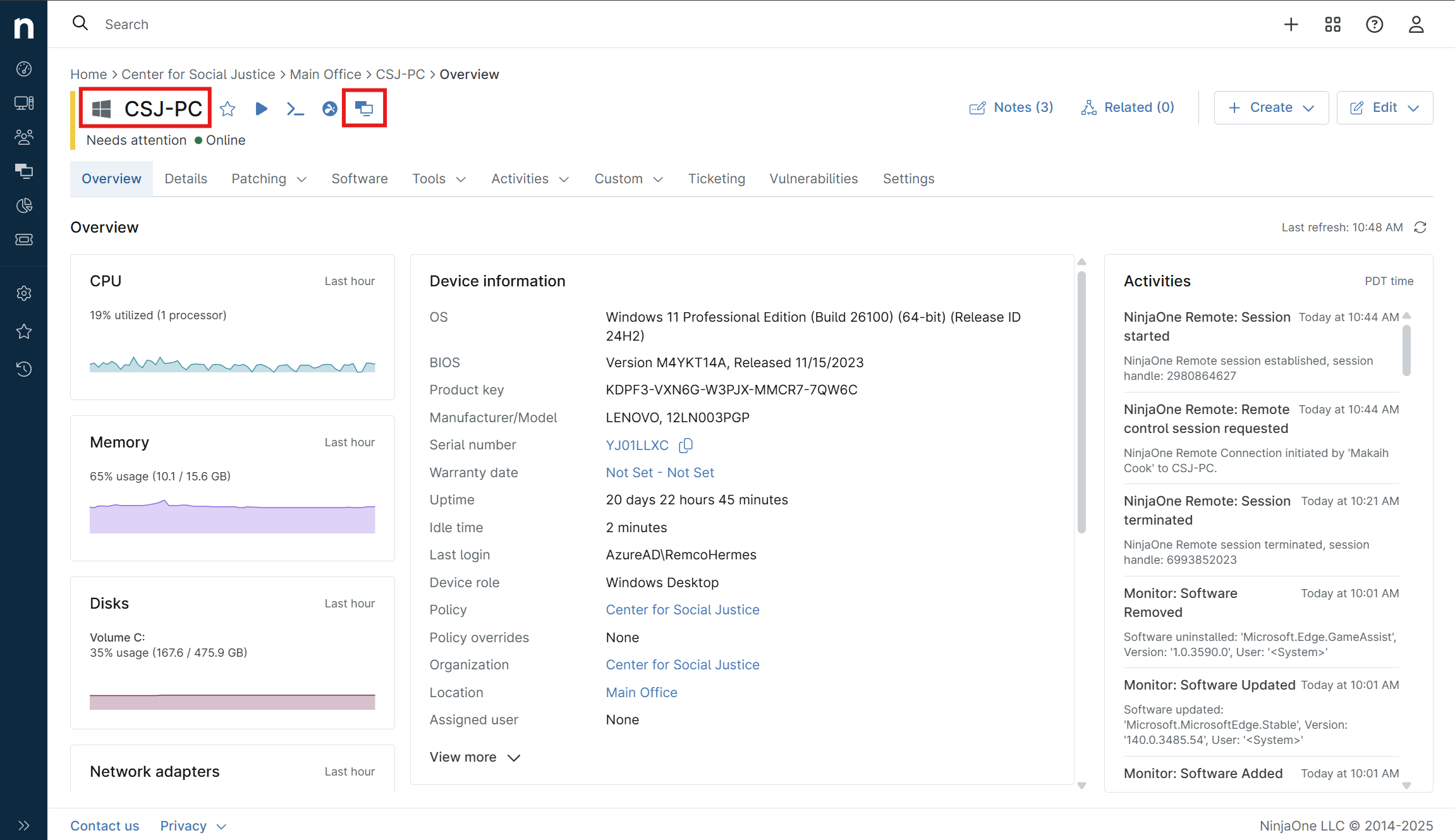
Enable Remote Print
At the top of your remote session window, locate the printer icon.
Print your document
-
On the remote computer, open the page or document you want to print.
-
Select Print.
-
From the printer list, choose NinjaRemote.
-
Click Print.
Local output
The print job will be sent to your default local printer (the one set as default on your own computer).
Notes
-
Only your default printer will receive the print job.
-
The feature must remain enabled (orange icon) for printing to work.
-
Disable remote printing by clicking the printer icon again.
Related Articles
🖨️ How to Use Splashtop Remote Printing
Overview Splashtop’s remote printing feature allows you to print documents from a remote computer directly to a printer connected to your local computer. This guide walks you through the prerequisites and step-by-step setup process. Prerequisites ...
CSJ Printing Guide
Summary: Papercut is the printing management system used at CSJ to make printing simple, secure, and efficient. It allows us to track print usage, ensure fair access to printers, and automatically charge printing costs to your Nexudus account for ...
How to Add and Remove a Device in NinjaOne
Purpose This article provides step-by-step instructions for technicians on how to add a new device to NinjaOne and how to remove an existing device from the platform. Adding a Device to NinjaOne Follow the steps below to generate and deploy a ...
How to Restore a Google Docs File Using Version History
Summary: If you need to recover a previous version of a document, Google Docs makes it easy with its built-in version history feature. Follow the steps below to restore an earlier version of your file. Step 1: Open Google Docs Go to docs.google.com ...
Updating Splashtop Certificates on Windows 7
Overview When Splashtop updates its backend certificates, older operating systems like Windows 7 may fail to recognize the new certificate authority (CA). This can cause NinjaOne RMM Splashtop remote sessions to stop working even though they worked ...